Quick Answer: AI employees are software-powered assistants or agents that handle business tasks such as customer inquiries, scheduling, data processing, and administrative work. When integrated into small business operations, they can reduce repetitive workloads, improve response times, and support daily decisions. However, businesses still need human oversight, clear responsibilities, and safeguards to keep automated processes reliable.
Artificial intelligence is no longer something businesses use only to generate content or answer occasional questions. It is gradually becoming part of the workforce, handling responsibilities that previously required constant attention from employees.
For small businesses, this change introduces a different way of organizing daily operations. Instead of hiring additional administrative support for every growing workload, owners can assign certain repetitive processes to AI-powered systems.
These systems can monitor incoming requests, prepare reports, update records, and coordinate routine activities.
However, introducing AI employees involves more than installing software. It changes how businesses distribute work, supervise automated decisions, and maintain accountability.
Understanding these changes helps small business owners determine where AI belongs within their operations and where human involvement remains essential.
What Does It Mean to Have AI Employees?
An AI employee is a digital system designed to perform specific work responsibilities using artificial intelligence.
Unlike traditional software that follows fixed instructions, some AI-powered systems can interpret information, respond to changing circumstances, and complete tasks across connected applications.
For example, a conventional scheduling tool might send an appointment reminder at a predetermined time. An AI scheduling assistant could also interpret a customer’s request to reschedule, check available appointments, and suggest alternatives.
More advanced systems, often called AI agents, can carry out several connected actions to complete an assigned objective.
However, the term AI employee is a business description rather than an employment classification. These systems are not human workers, and their capabilities depend on how they are designed, configured, and supervised.
Not every AI chatbot qualifies as an autonomous agent. Some tools only generate suggestions, while others can update records or initiate actions through integrations.
This distinction matters because a system that recommends an action creates different responsibilities and risks from one that executes it automatically.
Why Small Businesses Are Bringing AI Into Daily Operations
Small businesses frequently operate with limited staffing, tight budgets, and employees responsible for several functions.
A business owner might manage sales inquiries, review invoices, coordinate schedules, and handle customer complaints within the same working day.
As customer demand increases, these responsibilities become more difficult to manage without additional assistance.
AI offers another way to distribute routine work.
According to the U.S. Chamber of Commerce’s October 2026 Empowering Small Business report, 66% of surveyed U.S. small businesses reported using AI, compared with 23% in 2023.
However, using AI does not necessarily mean operating with autonomous digital workers. Many businesses still rely on AI primarily to support employees rather than independently manage entire processes.
The growing interest reflects an operational need: businesses want to handle increasing workloads without allowing administrative responsibilities to consume their available time.
For smaller companies, the attraction is not necessarily replacing employees. It is creating enough additional capacity for existing employees to focus on customers, complex problems, and business development.
Where AI Employees Fit Into Small Business Operations
The usefulness of AI depends on the responsibilities assigned to it.
Some business activities involve predictable information and repeatable processes. Others require judgment, empathy, professional expertise, or direct accountability.
Understanding the difference helps owners identify appropriate roles for digital assistants.
1. Customer Service and Initial Communication
Customer communication is often one of the first areas where businesses introduce AI.
An AI customer service assistant can respond to common questions about business hours, service availability, appointment procedures, and order updates.
When connected to an approved knowledge base, it may provide consistent answers without requiring an employee to respond individually to every inquiry.
Consider a small plumbing company receiving messages outside its normal operating hours.
An AI assistant could collect contact information, identify the reported plumbing issue, and prepare a service request for the next available representative.
However, it should not promise emergency availability, guarantee repair costs, or provide unsafe troubleshooting advice without appropriate controls.
Customers should also have a straightforward way to contact a human when their concerns require additional assistance.
2. Administrative Tasks and Appointment Management
Administrative responsibilities can occupy a substantial portion of a small business owner’s working day.
AI assistants can help organize incoming messages, identify appointment requests, draft confirmations, and prepare routine follow-ups.
For example, a dental practice might use an approved system to identify scheduling inquiries and direct patients toward available appointment options.
A professional would still handle clinical questions and sensitive patient concerns.
In businesses where schedules frequently change, AI can help reduce manual coordination by checking information across connected calendars.
The value comes from reducing repeated administrative steps, not allowing software to make unrestricted scheduling decisions.
3. Accounting and Financial Administration
Small businesses often spend considerable time organizing invoices, tracking payments, and reviewing financial records.
AI-powered accounting tools may assist by extracting invoice details, categorizing transactions, identifying possible duplicates, and flagging unusual entries.
For example, an accounting assistant could identify an invoice that appears to have been submitted twice and request a review before payment.
This reduces the possibility of repetitive data-entry errors.
However, AI should not independently approve large payments, change banking information, or make tax-related judgments without appropriate authorization.
Financial information must also be protected through access restrictions and secure integrations.
AI can support bookkeeping processes, but qualified professionals remain responsible for reviewing records and making consequential financial decisions.
4. Sales and Marketing Operations
Marketing involves many repetitive activities, including organizing customer inquiries, monitoring campaign results, and preparing content.
AI employees can assist with lead qualification, email drafts, customer segmentation, and performance summaries.
A small home improvement company, for instance, could use an AI assistant to organize website inquiries by requested service and location.
Sales staff could then prioritize relevant inquiries rather than manually reviewing every submission.
AI might also identify changes in campaign performance that deserve attention.
However, automated marketing should not publish unsupported claims, send inappropriate messages, or make commitments that the business cannot fulfill.
Human review remains important for branding, accuracy, and customer relationships.
5. Inventory and Operational Coordination
Businesses that sell physical products may benefit from AI systems connected to inventory and sales records.
These tools can identify products that are selling quickly, monitor stock patterns, and prepare replenishment recommendations.
A small retailer might receive an alert when certain products are approaching their reorder thresholds.
An AI assistant could compare recent sales activity with available inventory and recommend a purchasing quantity.
Yet recommendations remain dependent on accurate information.
A sudden seasonal demand change, supplier disruption, or unusual customer order may require human judgment.
For this reason, inventory-related AI is most useful when employees can review recommendations before purchases are finalized.
How AI Employees Change the Structure of a Working Day
Introducing AI changes more than the amount of work completed. It can change the sequence in which work happens.
Consider a small service business with four employees.
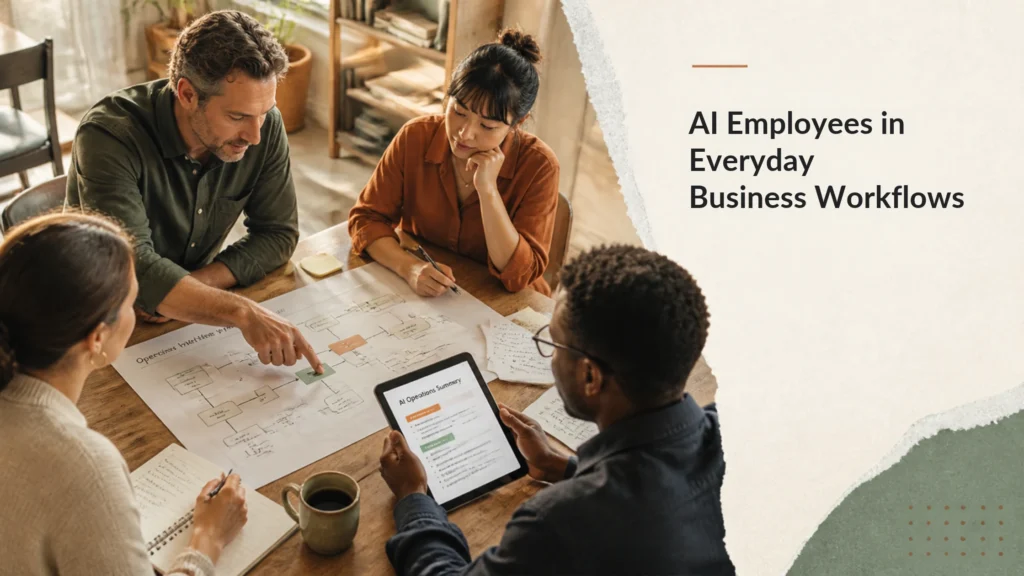
Previously, one employee might spend the first hour of the morning reviewing overnight emails, sorting inquiries, and preparing appointment requests.
With an AI assistant, some of that information could already be organized before the working day begins.
The employee could review the prepared requests, correct any mistakes, and prioritize customers needing immediate attention.
Meanwhile, another employee might receive an automatically prepared report showing incomplete service requests or upcoming appointments.
The team still performs its responsibilities, but less time is spent gathering information.
This illustrates an important distinction.
AI does not necessarily eliminate the need for administrative work. Instead, it can shift employees from manually processing information toward reviewing, coordinating, and resolving exceptions.
What Happens to Human Employees When AI Joins the Team?
One concern surrounding AI employees is whether businesses will gradually replace human workers.
The outcome depends on the business, the technology, and how management chooses to use it.
Some repetitive duties may become automated. However, employees remain necessary for responsibilities involving judgment, emotional understanding, professional expertise, and accountability.
In fact, AI adoption may introduce new responsibilities.
Someone must evaluate automated responses, correct inaccurate information, monitor system performance, and determine when a task requires human intervention.
Employees may also need training to understand which systems they can trust for particular tasks.
For example, a customer service representative might become responsible for reviewing complicated cases that an AI assistant cannot resolve.
Similarly, an office administrator might spend less time entering information and more time checking reports and coordinating operations.
The important consideration is not whether AI can perform a task occasionally, but whether it can perform that task consistently and safely under real business conditions.
Challenges Small Businesses Face With AI Employees
Although AI can improve operational efficiency, its introduction creates responsibilities that businesses cannot ignore.
Inaccurate Information and Automated Mistakes
AI systems sometimes produce incorrect information while presenting it confidently.
An AI assistant might misunderstand a customer request, reference outdated pricing, or misinterpret an internal document.
If that information triggers another automated action, the consequences can extend beyond one incorrect response.
Businesses need clear approval requirements and procedures for correcting mistakes.
Privacy and Sensitive Business Data
AI tools may process customer records, employee information, financial details, and internal documents.
Connecting an AI agent to several business applications can increase the amount of information it can access.
Small businesses should understand how their chosen provider handles data, what information is retained, and who can access it.
Permissions should be limited to what each AI system actually needs.
Cybersecurity and Unauthorized Actions
Some AI agents can interact with external websites, messages, and connected software.
This creates risks if an agent interprets malicious content as legitimate instructions or receives excessive access privileges.
Security measures should include restricted permissions, approval requirements, activity logs, and the ability to stop automated processes.
Dependence on Technology
An AI system can become unreliable because of software outages, incomplete data, configuration errors, or changes to connected platforms.
Businesses that depend entirely on automation may struggle when those systems become unavailable.
Documented manual procedures and employee training can help maintain operations during disruptions.
How Small Businesses Can Introduce AI Employees Responsibly
Successful integration begins with identifying a genuine operational need rather than automating every available process.
Start with one recurring responsibility. Choose work that consumes time, follows relatively consistent steps, and has measurable results. Organizing incoming inquiries is often easier to evaluate than automating complex financial decisions.
Define what the AI can and cannot do. An assistant might prepare responses but require approval before sending them. Another system might update appointment information but have no authority to issue refunds.
Connect only the necessary business information. Giving an AI tool unrestricted access to company systems increases risk without necessarily improving results.
Test the system using realistic situations. Include incomplete requests, unusual customer questions, incorrect data, and situations where the appropriate response is to contact an employee.
Assign a human supervisor. Every automated process should have someone responsible for reviewing performance, addressing errors, and deciding when to suspend the system.
Expand only after demonstrating reliable results. A successful trial involving one business function provides more useful evidence than introducing several untested tools simultaneously.
These steps turn AI integration into a controlled operational decision rather than an experiment without clear responsibilities.
Measuring Whether AI Employees Actually Improve Operations
The presence of AI does not automatically mean a business has become more productive.
Owners need to compare the results of an AI-supported process with the way the same work was completed previously.
Useful measurements include:
- Time saved: How much employee time is actually recovered after accounting for review and corrections?
- Response speed: Are customers receiving accurate answers more quickly?
- Error frequency: Are mistakes becoming less common or simply harder to notice?
- Operating costs: Do subscription fees, setup expenses, and supervision costs justify the results?
- Customer satisfaction: Are customers experiencing better service or more frustration?
- Employee workload: Are team members gaining time for valuable responsibilities?
Suppose an AI assistant saves ten hours of manual work each week but requires eight hours of employee review.
The actual improvement is much smaller than the original estimate suggests.
By measuring outcomes rather than activity alone, businesses can determine whether automation produces meaningful benefits.
People Also Ask About AI Employees in Small Businesses
1. Can AI Employees Replace Human Workers in Small Businesses?
AI employees can automate certain repetitive tasks, but they cannot reliably replace every responsibility performed by human workers.
Customer communication, data processing, scheduling, and routine reporting may be partially automated.
However, complex customer concerns, sensitive decisions, creative problem-solving, and professional accountability still require human involvement.
Some businesses may redesign or reduce particular roles, while others use AI to help existing employees handle increasing workloads.
The result depends on the tasks being automated, the reliability of the technology, and management decisions.
2. How Much Does It Cost to Introduce AI Employees Into a Small Business?
The cost depends on the type of AI system, its capabilities, and the number of applications it needs to access.
Some businesses start with subscription-based assistants, while others invest in customized automation and software integrations.
Expenses may include software subscriptions, usage-based charges, implementation, staff training, security controls, and ongoing supervision.
Businesses should also consider the cost of correcting errors and maintaining existing workflows.
A low monthly subscription does not necessarily represent the total cost of operating an AI employee.
3. What Tasks Should Small Businesses Avoid Assigning to AI Employees?
Small businesses should be cautious about giving AI unrestricted authority over decisions involving substantial financial, legal, safety, or personal consequences.
Examples include approving large payments, changing customer banking details, making final hiring decisions, providing professional diagnoses, or resolving sensitive disputes without human review.
AI can assist by organizing information and preparing recommendations.
However, consequential decisions should involve authorized people who can evaluate the circumstances and accept responsibility for the outcome.
4. Do AI Employees Need Human Supervision?
Yes. AI employees need a level of human supervision appropriate to the responsibilities they perform.
Simple tasks, such as organizing non-sensitive messages, may require periodic reviews.
Tasks involving customer commitments, private information, or financial transactions generally need stronger controls and approval procedures.
Supervision also helps businesses identify outdated information, unexpected system behavior, and recurring mistakes.
Even advanced AI agents should operate within clearly defined boundaries rather than receiving unrestricted authority over business operations.
5. Can Small Businesses Operate With Both Human and AI Employees?
Yes. Many small businesses can use AI systems alongside human employees to distribute work more effectively.
AI assistants may handle routine inquiries, organize information, and prepare administrative tasks.
Human employees can concentrate on customer relationships, technical services, problem-solving, and decisions requiring experience.
This arrangement works best when everyone understands which responsibilities belong to the AI system and which require human approval.
Clear communication, employee training, and regular performance reviews help prevent confusion as automated tools become part of daily operations.
AI Employees Are Changing How Small Businesses Organize Work
As AI becomes more deeply integrated into business software, the distinction between using a digital tool and assigning responsibilities to an AI assistant will continue to evolve.
Small businesses may increasingly rely on AI to manage routine information, coordinate workflows, and support employees throughout the working day.
However, successful adoption depends on more than technological capability.
Businesses must consider accuracy, privacy, employee responsibilities, operating costs, and the consequences of automated mistakes.
AI employees are most valuable when they take on clearly defined responsibilities while allowing people to remain in control of important decisions.
For small businesses, the central question is no longer simply whether artificial intelligence can perform work. It is which responsibilities should be automated, how those systems should be supervised, and whether the resulting changes genuinely improve business operations.
